

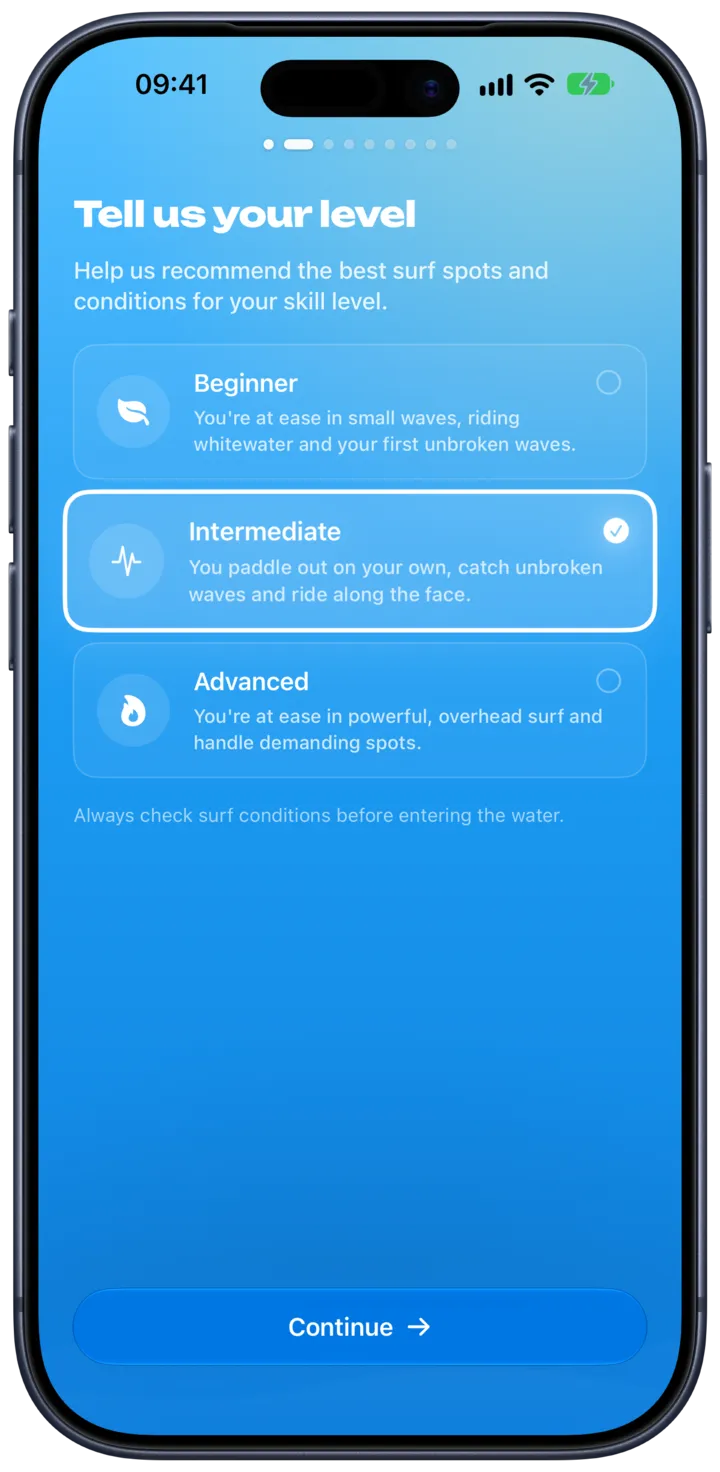
What is your surf level?
Pick one, the app adapts the recommended surf spots according to the forecast and your level.
You paddle out on your own, catch unbroken waves and ride along the face.
Your spot today San Diego
Swamis
Clean long period groundswell, well within your range. Go before the wind turns.
In the app this follows where you actually are.
Also good for you today
- 2Beacons
- 3Ponto
Get the same answer for every beach you surf.
Download on the App StoreReal spots from the app, on a simplified coastline. The ratings shown are an example of one head high, offshore morning.
For your level
Waves that match your level
Tell SurfMap your level once. Just learning? It finds soft, easy waves. Charging? It finds the power. Every rating is made for you.
- Simple ratings, from bad to great
- Plain words: "Clean waves, light wind"
- Get an alert when your spot turns good
Map and guides
Find your next session
Pan along the coast and read every spot at a glance. Landing somewhere new? The guides inside the app tell you how the place actually works.
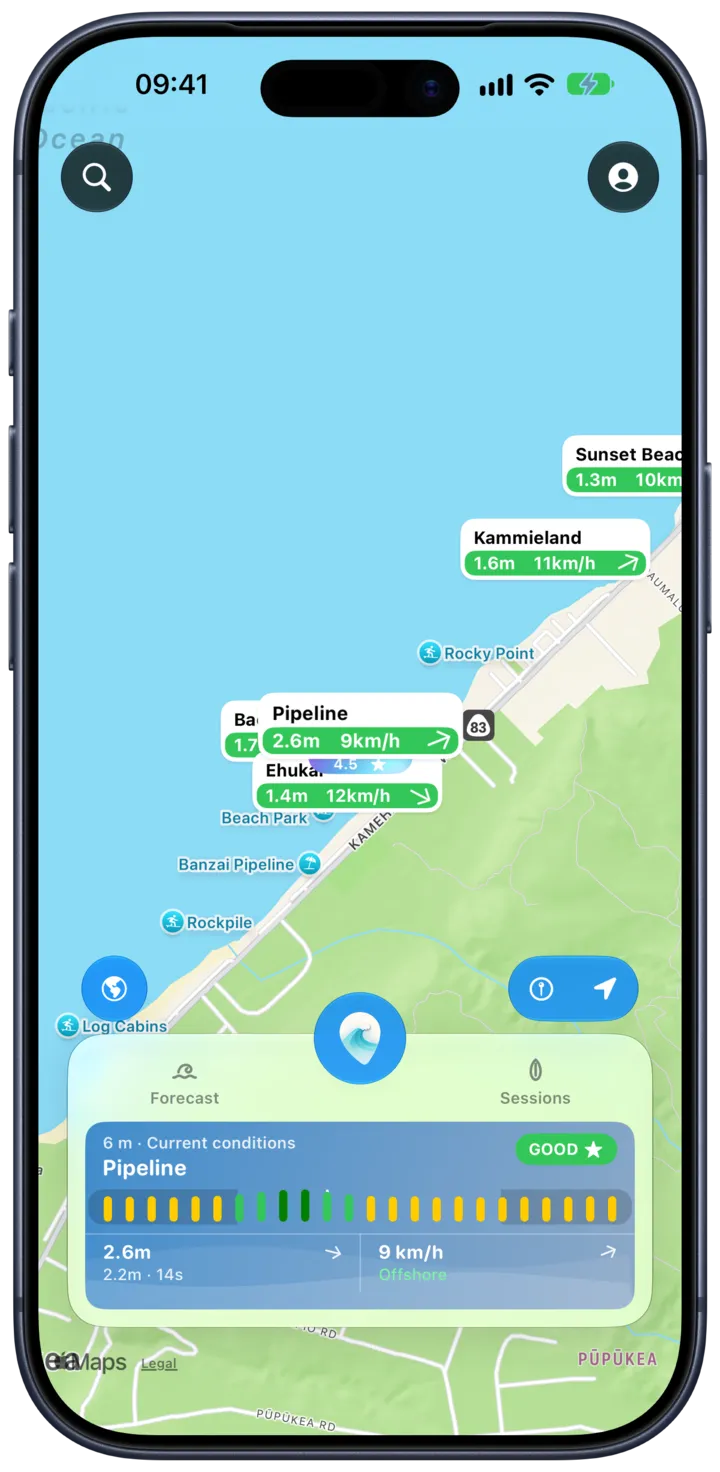
The map
Every pin carries its wave height and wind, so you can compare a whole coastline in one look.
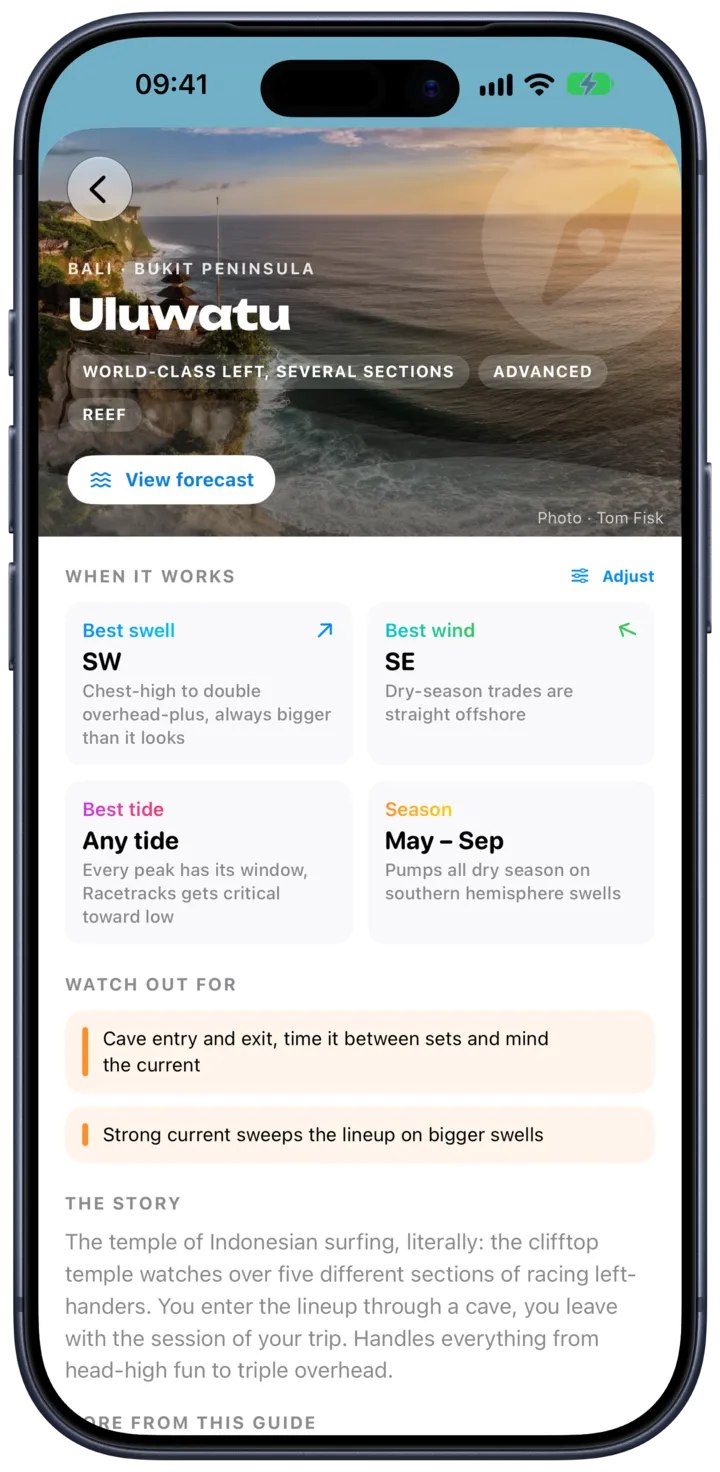
Spot guides
Written like a friend who surfs there: when each peak works, the tide window, the hazards, and where to paddle out.
Browse the guides →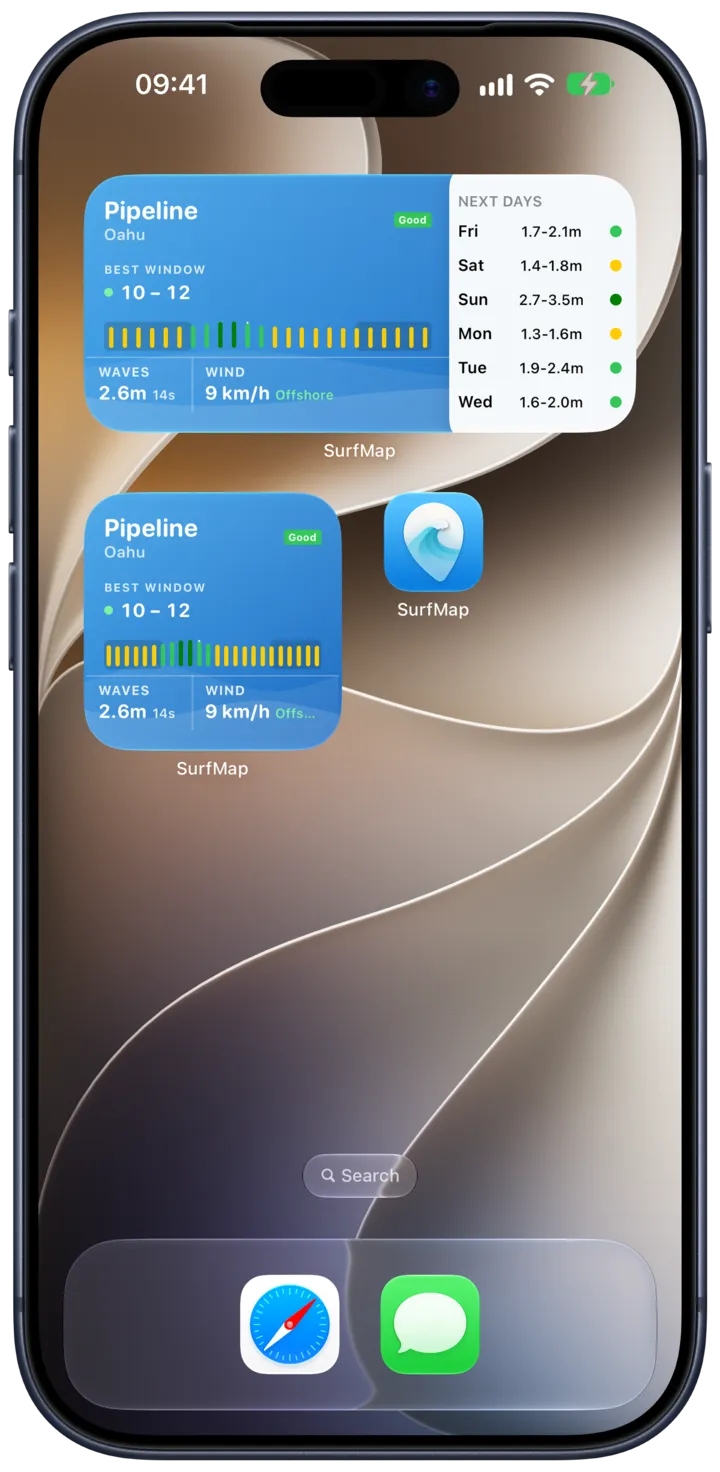
Plan your week
Catch the best waves
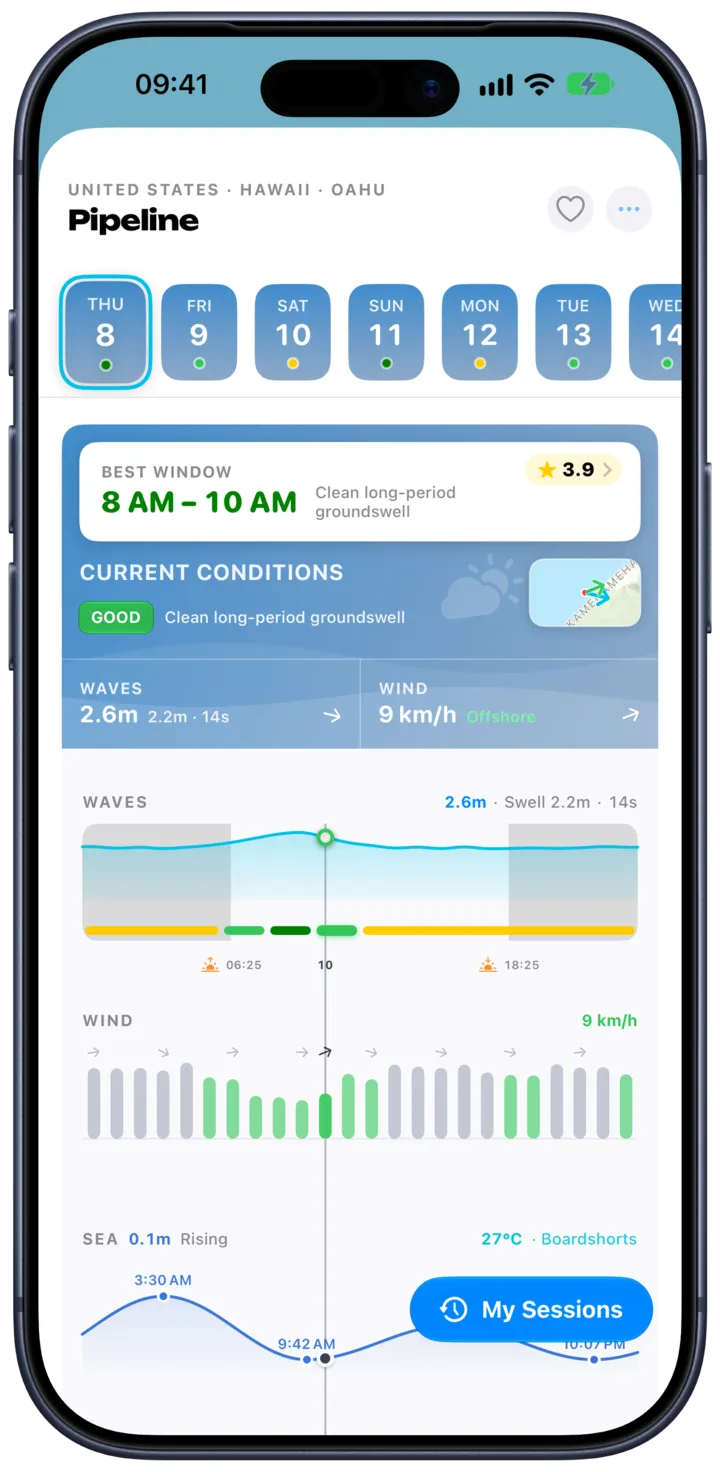
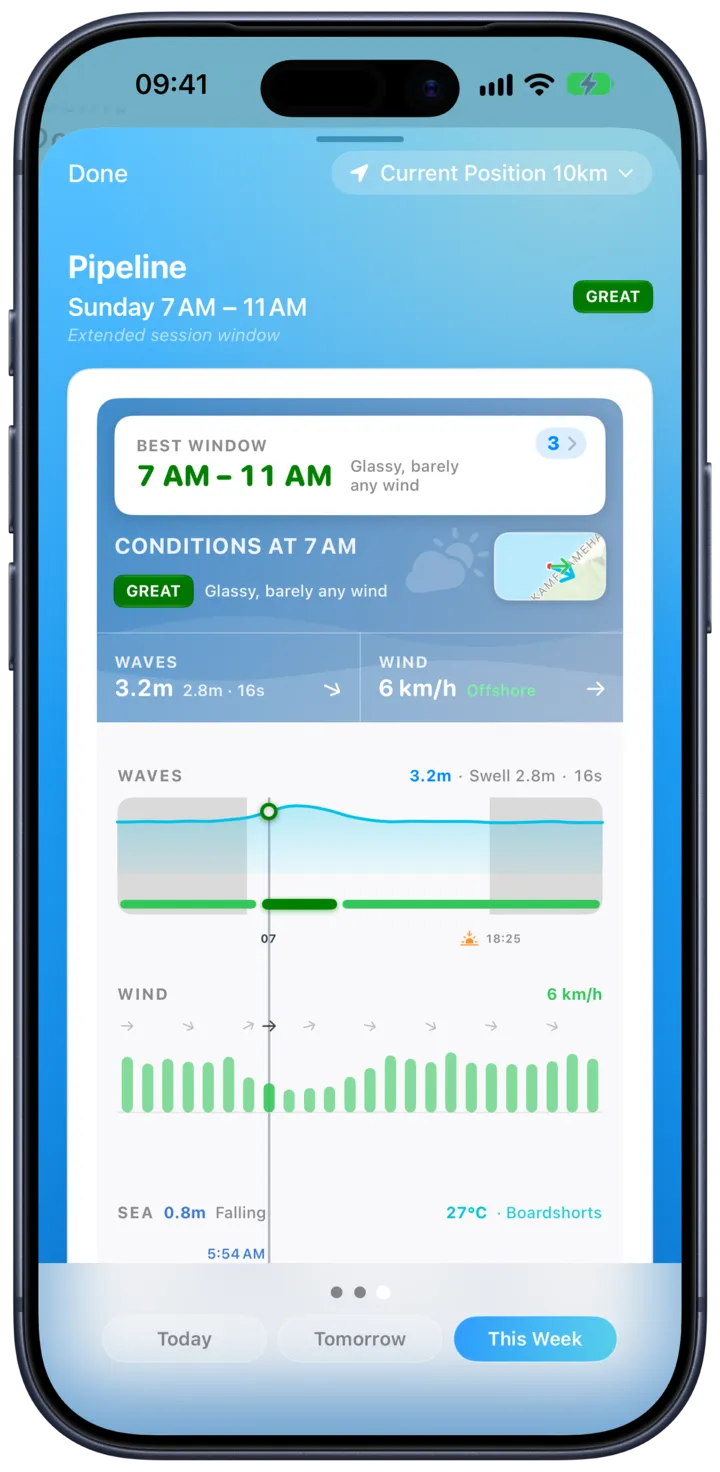
Scan every spot within range of you and see which one actually delivers this week, hour by hour. Then keep the answer on your Home Screen.
- Compare all the spots around you, not one at a time
- The best window of the week, already highlighted
- Widgets that keep it on your Home Screen
Now on Apple Watch
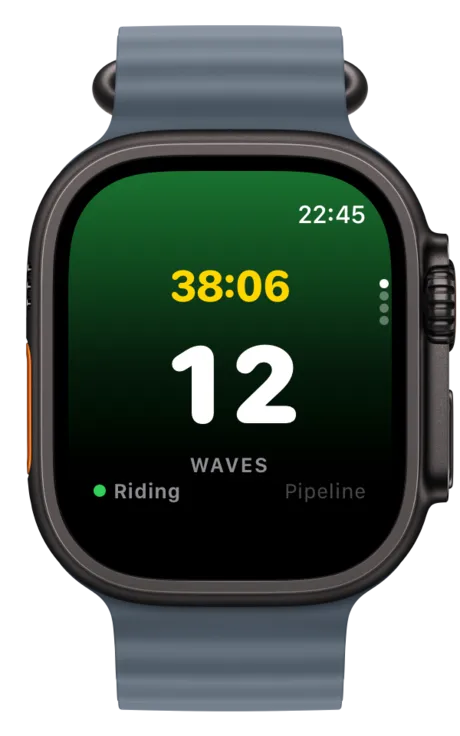
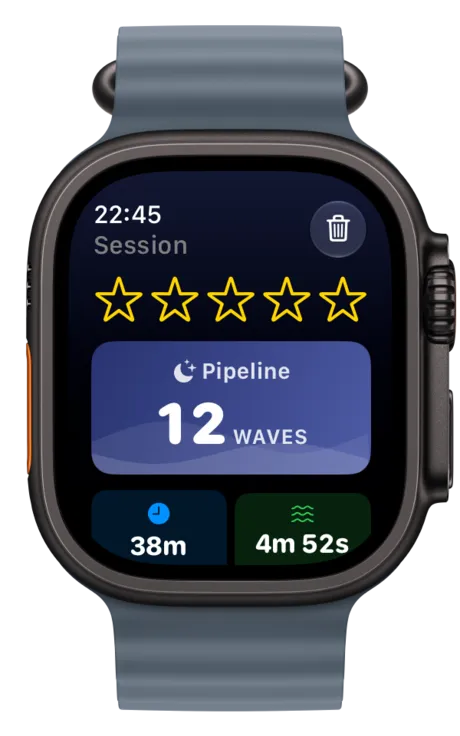
Your Watch counts your waves
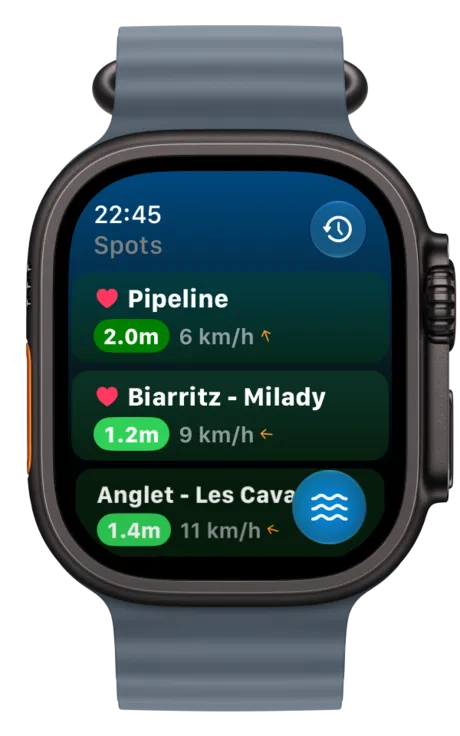
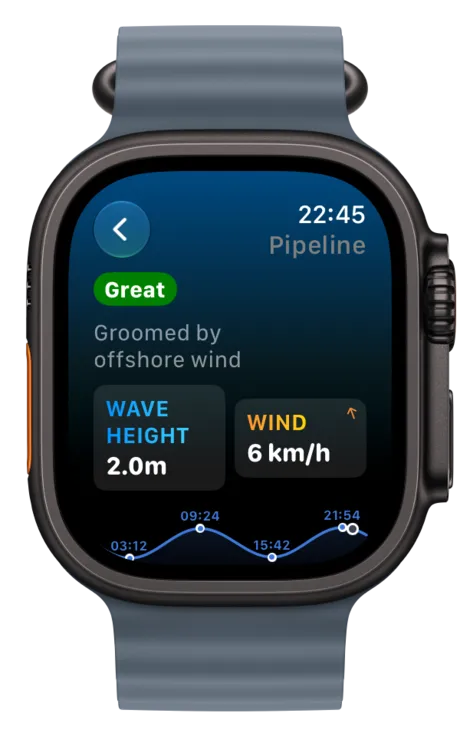
Leave your phone on the beach. Start a session on your Apple Watch: it counts every wave you ride and tracks your whole session.
Real reviews
What surfers say
Real reviews from the App Store and Google Play, the same ones shown inside the app.
“I'm a beginner surfer and having forecasts adapted to my level is reassuring!”
“At a glance I can see which spot is right for me, so much more practical.”
“Perfect for holidays, I discover surf spots I'd never have found on my own.”
- iPhone, iPad, Apple Watch and Android
- 5,000+ surf spots, hour by hour
- A forecast that adapts to your level
- On the App Store since August 2025
Made on the Basque coast, in France, by one independent developer, Guillaume Bernos.Who is behind SurfMap →Where the data comes from →
Track your progress
Watch yourself get better
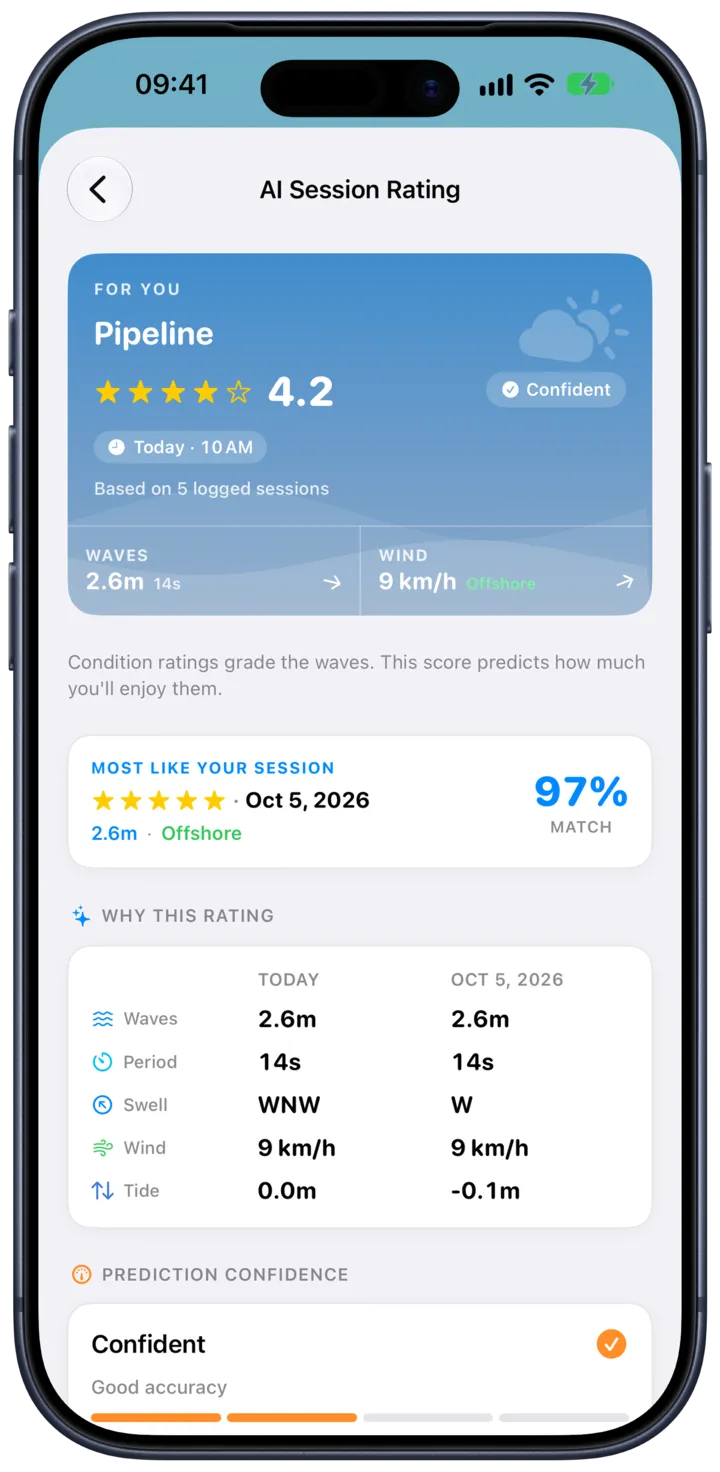
Every session is saved: waves ridden, time in the water, the conditions that day. Rate it, and your next forecast gets even smarter.
- Session history and stats
- Counts toward your Apple Health rings
- No ads, ever
How it works
- 1
Tell us your level
From first waves to big days. One tap, once.
- 2
Pick your spots
SurfMap rates every hour of the week at each of them.
- 3
Surf at the right time
Get there when it is good. Your Watch does the counting.
Surf guides
Dream. Plan. Paddle out.
Honest guides to the coasts we love: the spots that matter, who they suit, and when to go.



Questions, answered
Is SurfMap free?
SurfMap is subscription based. One subscription includes everything, with weekly, monthly, annual and lifetime plans, and no ads. Cancel anytime in your App Store settings.
How is SurfMap different from other surf apps?
The whole forecast adapts to you. The same wave can be perfect for a beginner and boring for an expert. SurfMap knows your level and rates every spot for you, not for everyone.
How many surf spots does SurfMap cover?
More than 5,000 beaches and breaks around the world, each with waves, wind, tide and crowd info, hour by hour.
Does SurfMap work on Apple Watch?
Yes. Your Watch tracks the whole session without your phone: wave count, heart rate, calories, distance and your track on the water. It also shows conditions and tide for your spots.
How does wave counting work?
The Watch feels the motion of your rides while you surf. Every wave is counted hands free, and the full recap lands on your iPhone after the session.
What does the forecast include?
Wave height, swell, wind, tide with high and low times, sunrise and sunset, and how crowded it usually is. Plus a weekly view that points at the best day and time.
Which languages and devices are supported?
SurfMap runs on iPhone, iPad, Apple Watch and Android, in English, French, German, Spanish, Italian, Japanese and Portuguese. On iPhone, sessions count toward your Apple Health rings.

Never miss a great session again
Join surfers around the world. Download SurfMap and go surf.
Subscription · weekly, monthly, annual or lifetime · cancel anytime